




A Step-by-Step Guide to Building the HydroLife™ Hybrid Pond™ Design

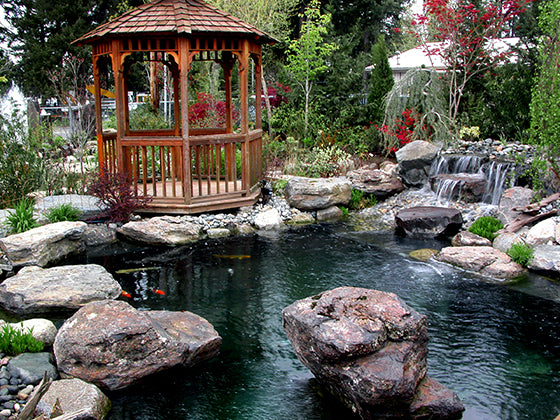
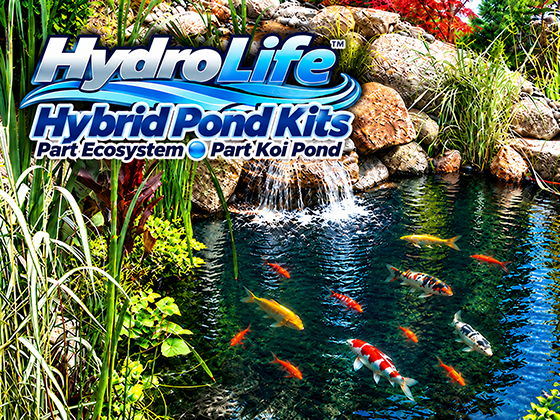
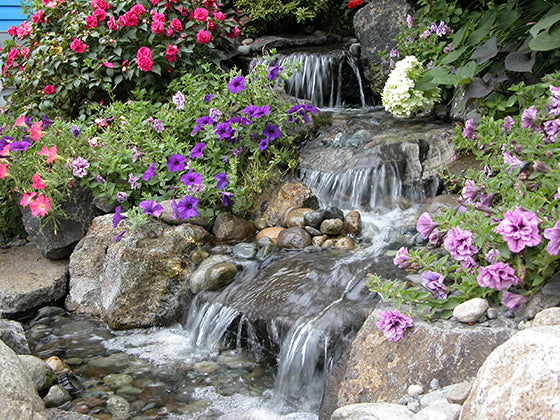
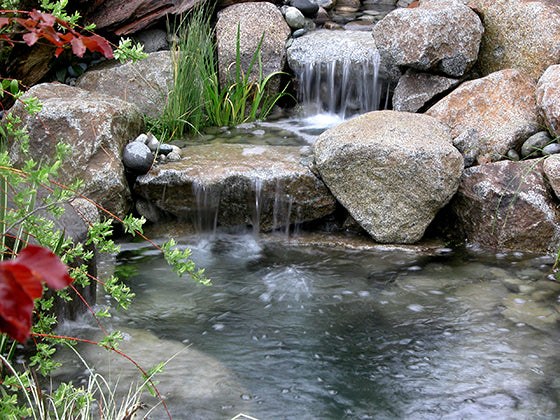
A HydroLife™ Hybrid Pond™ combines the natural appearance of a Water Garden Pond with important design principles used in dedicated Koi Ponds.
Planning a Hybrid Pond?
Tell us a little about the pond you're envisioning and we'll help you determine the right system for your project.
The concept became possible because Russell Watergardens developed filtration equipment that could combine patented backwashable waterfall filtration, bottom-drain waste removal, pre-filtration, UV clarification, aeration and routine backwashing in one coordinated pond system.

A properly built HydroLife™ Hybrid Pond™ includes:
- A backwashable Hydro Vortex™ waterfall filter
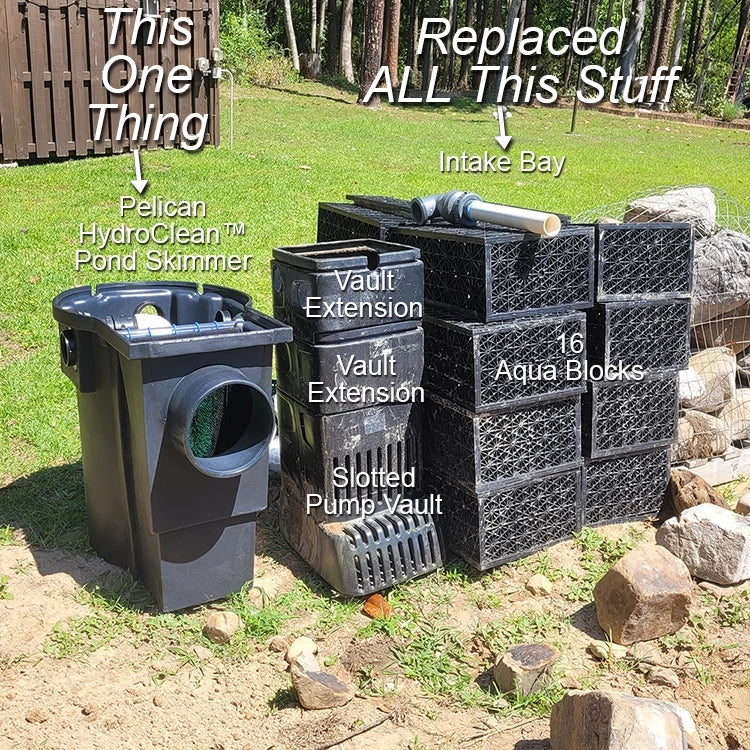
- HydroClean™ pond skimmer
- Bottom drain
- HydroSieve™ bottom-drain pre-filter
- External pump
- UV clarifier
- External aeration
- Bare liner on the main pond bottom
- No submerged gravel covering the pond floor
- Natural boulders along the submerged walls
- Aquatic plants in baskets
- A minimum depth of approximately 3 feet
- Surface and submerged circulation designed to move debris toward the skimmer and bottom drain
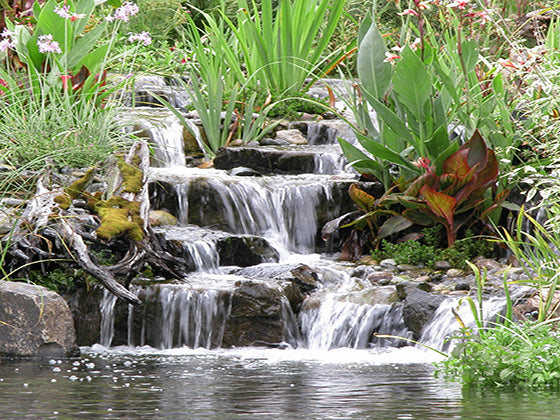
The result is a pond that can look natural in the landscape while remaining much more open and accessible below the water.
Step 1: Start With a Simple Pond Plan
Before digging, sketch the pond you want to build.
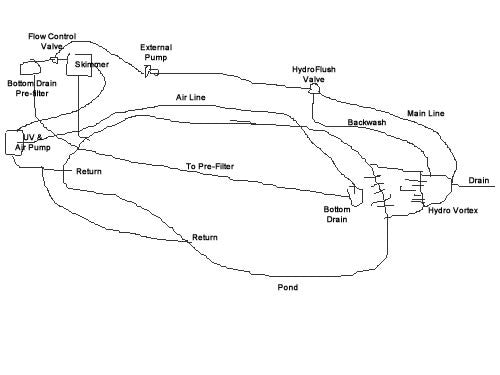 The drawing does not need to be artistic or technically perfect. Its purpose is to establish:
- Overall pond shape
- Approximate length and width
- Waterfall location
- Pond skimmer location
- HydroSieve™ location
- Bottom-drain location
- Equipment area
- Plant shelf
- Deep-water area
Make changes on paper first.
It's much easier to erase a line than reshape an excavation.
If you're unsure about the layout, Russell Watergardens can help you review the design before construction begins.
Step 2: Lay Out the Pond on the Ground
Once you're comfortable with the sketch, transfer the design to the actual site.

Use marking paint to outline:
- The pond perimeter
- Waterfall area
- Hydro Vortex™ filter location
- HydroClean™ skimmer
- HydroSieve™ pre-filter
- Equipment area
- Plumbing routes
This gives you a much better sense of scale than a drawing alone.
Walk around the layout from different viewpoints.
Ask yourself:
Does the pond look large enough?
Does the waterfall face the right direction?
Will the skimmer be accessible?
Will the equipment be easy to service?
Make adjustments now.
Step 3: Measure the Pond and Select the Kit
Measure the maximum length and width of the painted pond layout.
These dimensions help determine the appropriate liner size and Hybrid Pond™ Kit.
Russell Watergardens offers customizable Hybrid Pond™ Kits in several capacities, including Ahi, Marlin and Dolphin Series systems.
If one of the standard kit sizes doesn't match your project, the contact us and we will create a custom system for you particular design.
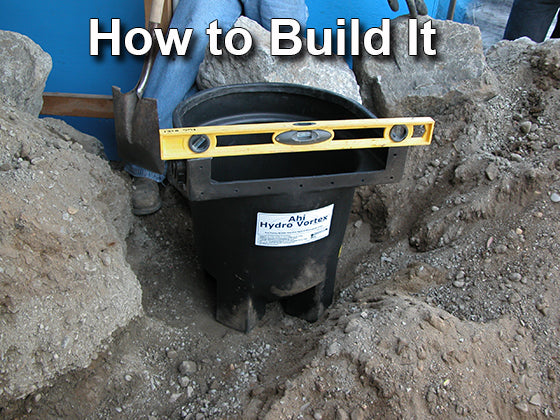
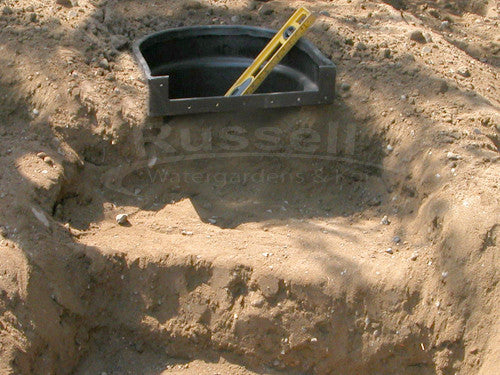
Step 4: Install the Hydro Vortex™ Waterfall Filter
Begin by preparing a firm, level base for the Hydro Vortex™ filter.
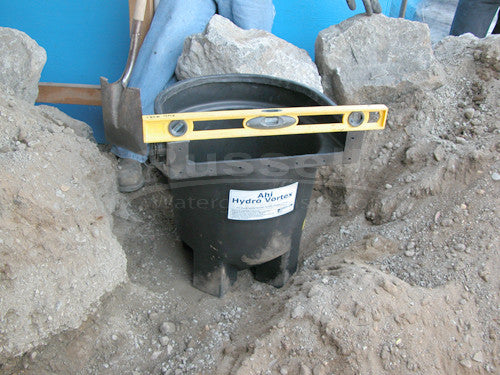
The filter must remain stable after the surrounding soil, rock and water are added.
Attach the appropriate inlet and drain fittings using the supplied sealant and plumbing components.
Hand-tighten threaded fittings unless the specific fitting instructions call for something different.
When gluing PVC:
- Clean and prime the appropriate pipe and fitting surfaces.
- Allow the primer to flash dry.
- Apply PVC cement evenly around the pipe.
- Insert the pipe into the fitting with a slight twisting motion.
- Hold it in place briefly while the joint sets.
Route the filter drain line to an accessible discharge location.
The main supply line should continue toward the pump and skimmer equipment area.
Step 5: Plan the Waterfall Elevation
Use soil excavated from the pond to create the waterfall berm.
Build the elevation in compacted layers.
Compact more than you think you need to.
Water, boulders, gravel and landscaping add considerable weight, and settling around waterfalls is one of the most common causes of future liner problems.
If space is limited behind the waterfall filter, a retaining wall can be used to contain the soil.
Be sure to leave access to the filter drain and backwash plumbing.

Step 6: Install the HydroFlush™ Backwash System
If your Hydro Vortex™ includes a HydroFlush™ Backwash System, install it while the main plumbing is still exposed.
The HydroFlush™ typically connects the main pump line to the upper backwash port on the Hydro Vortex™ through a 3-way valve.
Place the valve somewhere accessible.
A valve box can be used to keep the valve protected while still allowing easy operation.
The HydroFlush™ should remain accessible after landscaping is complete.
Its purpose is to let you backwash the Hydro Vortex™ without dismantling the waterfall or removing the FilterSilk™ media.
Step 7: Excavate the Pond
Begin excavating the pond according to the painted layout.

A Hybrid Pond™ differs from a traditional stair-step Water Garden Pond.
Instead of multiple wide planting shelves, it uses:
- One relatively narrow marginal shelf
- Deeper vertical interior walls
- A large open swimming area
- A bottom sloped toward the bottom drain
A Hybrid Pond™ should be approximately 3 feet deep or deeper, depending on the design.
Keep the excavated soil.
You'll use much of it for:
- Waterfall elevation
- Backfilling plumbing
- Shaping the pond perimeter
- Landscape berms
Step 8: Install the Bottom Drain and Under-pond Pipe
The bottom drain should be positioned in the deepest portion of the pond.

In the Hybrid Pond™ design, the deepest area is typically near the waterfall end.
The pond floor should slope gradually toward the bottom drain at least 1" downward per foot of horizontal.
Use 3" or 4" pipe between the bottom drain and HydroSieve™.
The HydroSieve™ operates by gravity flow from the pond. Large-diameter pipe helps supply the pre-filter without creating unnecessary restriction.
Keep the plumbing route as smooth as practical and minimize unnecessary fittings.
After the drain and pipe are positioned:
- Backfill around them
- Compact the soil carefully
- Re-establish the pond-bottom slope toward the drain
A temporary cover over the drain opening can help prevent soil from entering during excavation.

Step 9: Excavate the Equipment Area
At the opposite end of the pond, prepare the area for:
- HydroClean™ pond skimmer
- HydroSieve™ pre-filter
- Flow-control valve
- UV clarifier
- External pump
- Aeration equipment
Keeping the equipment accessible is an important part of Hybrid Pond™ design.
Avoid burying components where they will be difficult to reach later.

Step 10: Establish the Pond Water Level
Before setting the skimmer and pre-filter, establish the finished pond water level.
Mark the intended waterline around the pond using a laser level, transit or string level.
Carry that elevation into the equipment area.
The HydroClean™ skimmer and HydroSieve™ should then be positioned according to their installation requirements relative to that waterline.
Take your time with this step.
A correct water level makes the rest of the installation much easier.

Step 11: Install the HydroClean™ Skimmer and HydroSieve™
Set both units level and stable.
Connect the 3" or 4" bottom-drain pipe to the HydroSieve™.
Connect the HydroClean™ skimmer according to the selected installation method.
One advantage of the HydroClean™ is that it can be installed remotely from the pond edge using inlet plumbing.
That allows the pond perimeter to remain more natural while keeping the skimmer accessible for routine maintenance.
Do not permanently bury the equipment until the plumbing layout has been checked.
Step 12: Install the UV Clarifier and Submerged Return

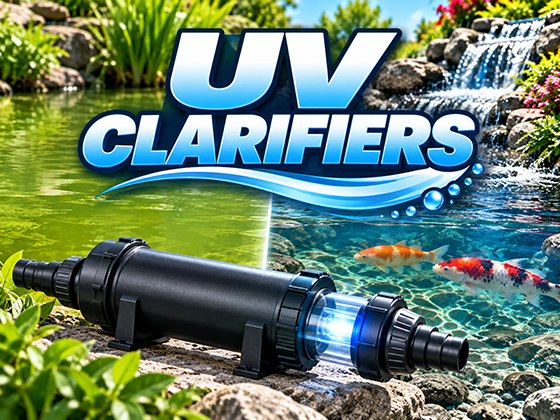
The UV clarifier helps control free-floating algae, but in a Hybrid Pond™ its return water can also improve circulation.
Position the UV system somewhere accessible for future bulb and quartz-sleeve maintenance.
A bypass or flow-control valve can be used where appropriate to regulate the flow through the UV.
The return from the UV should enter the lower portion of the pond at the end opposite the bottom drain.
This creates submerged circulation toward the bottom-drain area.
In long or irregularly shaped ponds, the return may be divided into multiple circulation points.
The goal is not turbulence.
The goal is gentle, directional movement through the deeper water.

Step 13: Install the Underlayment
Once excavation and underground plumbing are complete, install protective underlayment throughout the pond.
Cover:
- Pond bottom
- Plant shelf
- Vertical walls
- Around the bottom drain
- Any area where the liner will contact soil or rock
Underlayment protects the EPDM liner from roots, stones and irregular soil.
It does not need to be one continuous piece.
Overlap sections where necessary.

Step 14: Install the EPDM Pond Liner
The pond liner does hold the water, so install it as one continuous piece whenever possible.
Allow generous excess liner around the entire perimeter.
Do not trim the liner yet.
Work out the largest wrinkles, but do not pull the liner drum-tight.
Leave a little slack where horizontal and vertical surfaces meet.
The weight of the finished pond can cause additional soil compression, and that small amount of extra liner helps accommodate settling.
Step 15: Attach the Liner to the Bottom Drain

Locate the drain beneath the liner by feel.
Follow the current bottom-drain manufacturer's installation procedure carefully.
The typical process involves:
- Locating the drain
- Positioning the clamping ring
- Applying approved sealant
- Installing the ring and fasteners
- Cutting away the liner from inside the drain opening
- Installing the grate or cover
Hand-tighten fasteners.
Do not overtighten plastic drain components with a power tool.
Older photographs on this page may show a previous-generation bottom drain. Current models may look different, but the basic principle remains the same.

Step 16: Attach the Liner to the HydroClean™ Inlet Pipe
Pull the liner into position around the remote skimmer inlet.
The exact attachment method depends on the current HydroClean™ installation hardware.
The objective is to create a secure, watertight transition between the pond liner and inlet plumbing while maintaining enough exposed inlet pipe for the surrounding boulders to conceal the connection later.
Follow the current HydroClean™ instructions supplied with the skimmer.

Step 17: Attach the Liner to the Hydro Vortex™ Filter
Bring the pond liner up the front of the Hydro Vortex™.
Leave a small amount of liner slack where the stream or waterfall area transitions into the filter face.
Align the liner attachment flange with the waterfall outlet.
Use the supplied gasket, fasteners and sealant according to the current Hydro Vortex™ installation instructions.
Once the liner is securely attached and sealed, cut the liner from the waterfall opening.
Do not trim the excess liner around the sides of the waterfall yet.
Wait until the entire pond is filled and operating.
Step 18: Build the Submerged Boulder Walls

Begin placing boulders at the lowest portion of the pond and work upward.
The Hybrid Pond™ uses boulders along the submerged walls, but not across the main pond bottom.
Choose relatively smooth boulders and orient them so sharp points do not face the liner or open swimming area.
Place the lowest course on a stable base.
Larger boulders should be positioned so they cannot shift or tumble.
Waterfall foam can be used selectively to stabilize rocks where needed.
The objective is to create:
- A natural-looking submerged wall
- A stable pond perimeter
- Open swimming space
- A bare, unobstructed pond floor

Step 19: Install the Aeration Diffuser
Position the air diffuser near the deepest area of the pond, typically beneath or near the waterfall area.
Route the airline behind the boulders and out of the pond toward the air pump.
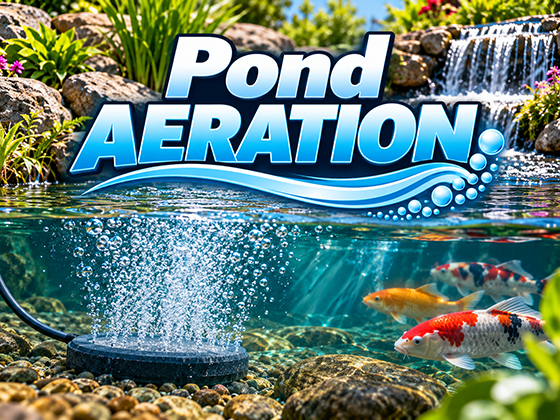
In this location, the rising air contributes to vertical circulation while the waterfall turbulence helps visually disguise the bubbles at the surface.
Test the aeration before the pond becomes too deep to make adjustments easily.
Step 20: Install Aquatic Plants in Baskets
Hybrid Ponds™ include aquatic plants, but the plants are not planted directly into submerged gravel.
Use aquatic plant baskets.
A typical planting procedure is:
- Remove the plant from its nursery pot.
- Remove excess loose soil from the root mass.
- Add a small layer of rinsed pea gravel or suitable aquatic planting material to the basket.
- Position the plant.
- Add aquatic plant fertilizer where appropriate.
- Fill around the roots with rinsed pea gravel or suitable aquatic media.
- Place the basket on the marginal shelf.
This keeps planting material contained while preserving the smooth main pond bottom.
Step 21: Complete the Hydro Vortex™ Filter

Install the internal media grate according to the current Hydro Vortex™ instructions.
Add the required quantity of FilterSilk™ media.
Install the upper retaining grate.
Complete the HydroFlush™ backwash components.
Then conceal the filter with appropriate cobble stones or waterfall rock.
The Hydro Vortex™ is designed so the filtration media can remain in place during routine cleaning and backwashing.
That means decorative stones used to disguise the filter do not need to be removed every time the filter is maintained.
Step 22: Install the Pump and Final Plumbing
 Install the external pump and complete the final plumbing connections between:
- HydroClean™ skimmer
- HydroSieve™
- Flow-control valve
- Pump
- Hydro Vortex™
- HydroFlush™
- UV system
- Pond returns
Check all unions, valves and fittings for proper orientation and accessibility.
Do not bury or landscape over components that will require future service.

Step 23: Begin Filling the Pond
Once the liner attachments and major rockwork are complete, begin filling the pond.
Continue construction while the pond fills.
Watch the liner as the water level rises.
The water will pull the liner into its final position.
This is another reason the liner should not be trimmed early.
Step 24: Start the Pump, UV and Aeration
Once the pond has sufficient water:
- Start the main circulation pump
- Start the UV circulation circuit
- Start the air pump
- Confirm waterfall flow
- Check bottom-drain supply
- Verify skimmer operation
- Check aeration
- Inspect all plumbing connections
Allow the pond to operate long enough to reveal any problems.
Step 25: Check the Entire Perimeter for Leaks
Before trimming the liner, inspect every inch of the pond and waterfall perimeter.
Look for:
- Water flowing over the liner
- Low liner folds
- Water escaping beside waterfall rocks
- Improper waterfall edges
- Low spots around the pond perimeter
If you find a low area, lift the liner and add compacted soil beneath it until the liner is safely above the operating waterline.
Never cut the liner until the pond is full and running properly.
This simple rule prevents many avoidable leaks.
Step 26: Trim and Finish the Pond Edge
Only after the pond is operating correctly should the excess liner be trimmed.
Leave the liner several inches above the normal waterline.
Fold or roll the excess liner beneath itself and conceal it with:
- River rock
- Cobbles
- Boulders
- Mulch
- Landscape plants
The finished edge should hide the liner while keeping it safely above the pond's operating level.
Step 27: Finish the Landscaping
Add terrestrial plants, mulch and final landscape details around the pond.
Keep future access in mind.
Do not bury:
- Filter drains
- Backwash valves
- UV service points
- Pump unions
- HydroSieve™ access
- HydroClean™ access
A beautiful pond should still be easy to maintain.
Step 28: Rinse the Pond and Perform the First Cleaning
Construction inevitably introduces soil and fine debris.
Rinse dust from rocks and surrounding surfaces into the pond.
The filtration system can then collect this material.
If using a pond clarifier or flocculant, follow the product label directions carefully.
Once the suspended debris has been captured by the filtration system, perform the first appropriate cleaning or backwash.
This is a good opportunity to become familiar with the maintenance routine before fish are added.

You're Done

You now have a HydroLife™ Hybrid Pond™ with:
- Natural boulder walls
- Aquatic plants
- Waterfalls
- Deep open swimming space
- Bare liner bottom
- Bottom-drain waste removal
- HydroSieve™ pre-filtration
- HydroClean™ surface skimming
- Hydro Vortex™ biological filtration
- UV clarification
- Supplemental aeration
- Surface and submerged circulation
Part Water Garden. Part Koi Pond. Completely Hybrid Pond™.
[ LEARN WHAT A HYBRID POND™ IS ]
[ SEE HOW HYBRID POND™ CIRCULATION WORKS ]
Planning a Hybrid Pond?
Tell us a little about the pond you're envisioning and we'll help you determine the right system for your project.